
Section 5, Topic 5
In Progress
Microsoft Loop
6th February 2026
Section Progress
0% Complete
Once ideas move from exploration into action, teams need a way to manage shared content that continues to evolve. This is where Microsoft Loop is particularly effective.
Loop allows teams to create small, modular components that stay live where they are used. Instead of creating a document, sharing it, and then managing versions, Loop enables everyone to work from the same up to date information.
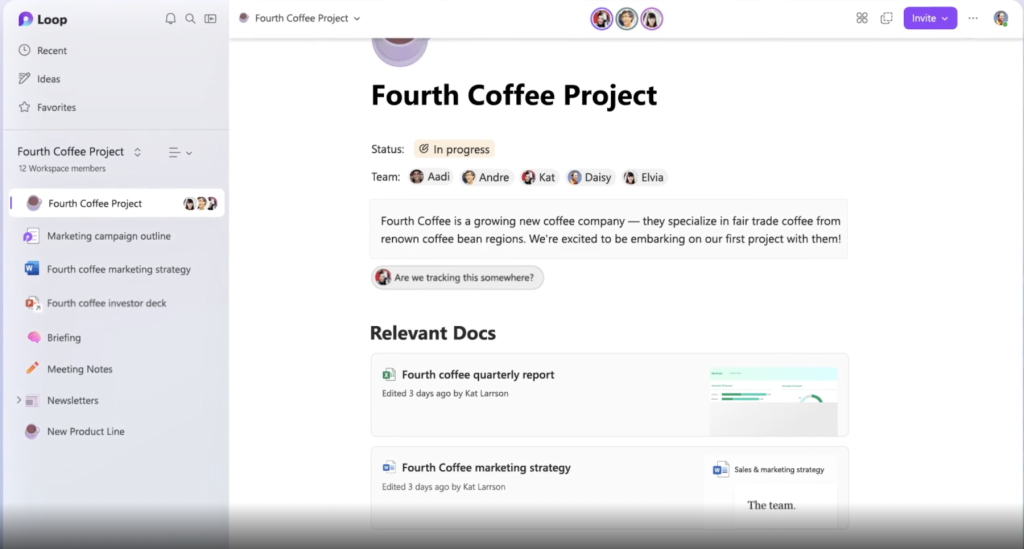
Loop is about shared ownership of content and common component types include:
-
- Tables and notes
- Task lists with owners and deadlines
- Simple planning frameworks
These components automatically synchronise across Microsoft tools such as Teams and Outlook, making them ideal for work that changes frequently.
Typical cases include:
-
- Action trackers following meetings
- Living project plans
- Shared guidance or FAQs that need regular updates